TUTOR
PROBLEM
Tutor is a tutoring platform with a clear and intuitive design that helps people filter tutors according to their needs. The target audience is children studying in educational institutions and adults who need to improve their skills at work or need a tutor for any other reason.
PROJECT OVERVIEW
An app and a responsive website that enables tutors to list their services and parents or prefessionals to search for and book time with tutors.
SOLUTION
Develop a tutoring platform that will work on a variety of devices. This project will provide people with a secure and intuitive online platform for educational purposes.
USER RESEARCH
To understand user frustration, needs, and requirements, I conducted foundational research through interviews and user surveys for my project. My goal was to gain insights into the needs and wants of users so that I could better design my app and responsive website.
There are two types of user research methodologies: qualitative and quantitative research. I chose qualitative research because I had a time constraint.
Finding an experienced tutor is time-consuming. Users wants to make their education a priority and keep up with their regular appointments, but they’re unable to do so with their busy schedule.
Time
1
Tutoring platforms are not accessible for people with learning disabilities or visual impairments.
Accessibility
2
Not enough details, photos, videos or reviews online for the available tutors and their services.
Limited Information
3
Users need a more intuitive way to access buttons and screens.
Intuitive Design
4
RESPONSIBILITIES
Conducting interviews, paper and digital wireframing, low and high-fidelity prototyping, conducting usability studies, accounting for accessibility, iterating on designs and responsive design.
MY ROLE
This individual project allowed me to plan and direct each step of the design thinking process as a UX designer.
USER JOURNEY
Add the option to sort by different categories
Send a confirmation sms in case the person does not have a wifi connection, etc
Add prompts about what you can write to the tutor
Add the ability to cancel a tutor booking if the person changes their mind
Ensure that all tutor videos are of a similar structure and length
IMPROVEMENT OPPORTUNITIES
A. Open a website or app
B. Locate the Sign In button/page
C. Enter your personal information
D. Wait for email confirmation
A. Filter your search
B. Read the tutors’ descriptions
A. Find a designated place to contact the tutor
B. Write a detailed message about your situation and ask questions
C. Send the message
A. Check your email
B. Read the message from the tutor carefully
C. Confirm the booking
A. Click on the suitable tutor
B. Watch the tutor’s introduction video
C. View the tutor's timetable
TASK LIST
FEELING
NEGATIVE
NEUTRAL
POSITIVE
ACTION
Register
Choose a Tutor
Check The
Information
Send the tutor a message
Wait for the confirmation
Match 2
Match 3
Tutor
Match 4
Match 5
Match 6
Home Page
Find Tutors
Match me
with Tutors
Languages
Become a Tutor
Log In
Sign Up
SITEMAP
I built user-focused flows to ensure that my personas could successfully complete their key objectives while reducing any existing pain points.
PAPER WIREFRAMES
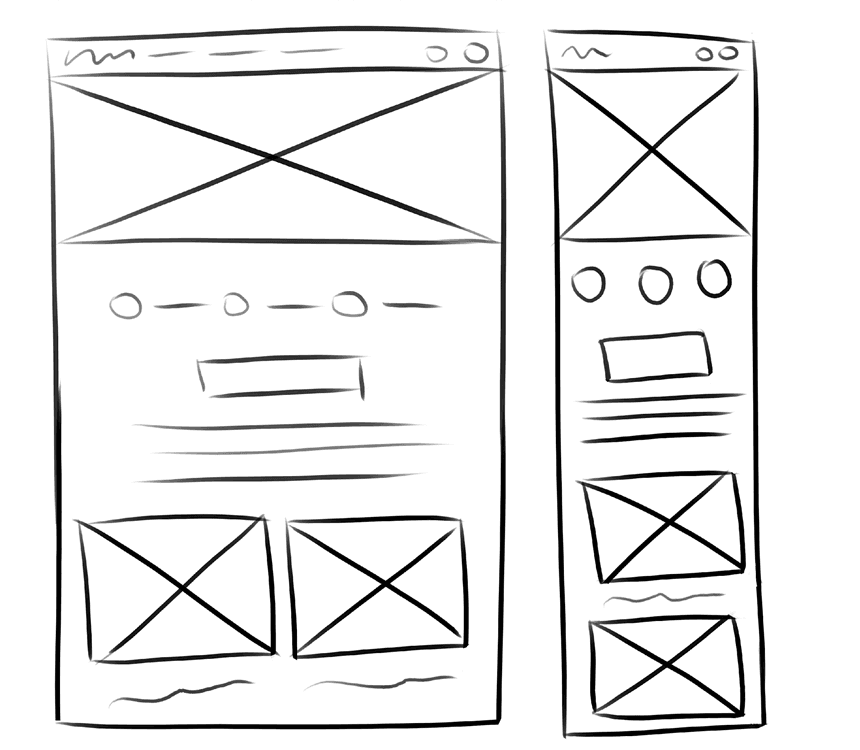
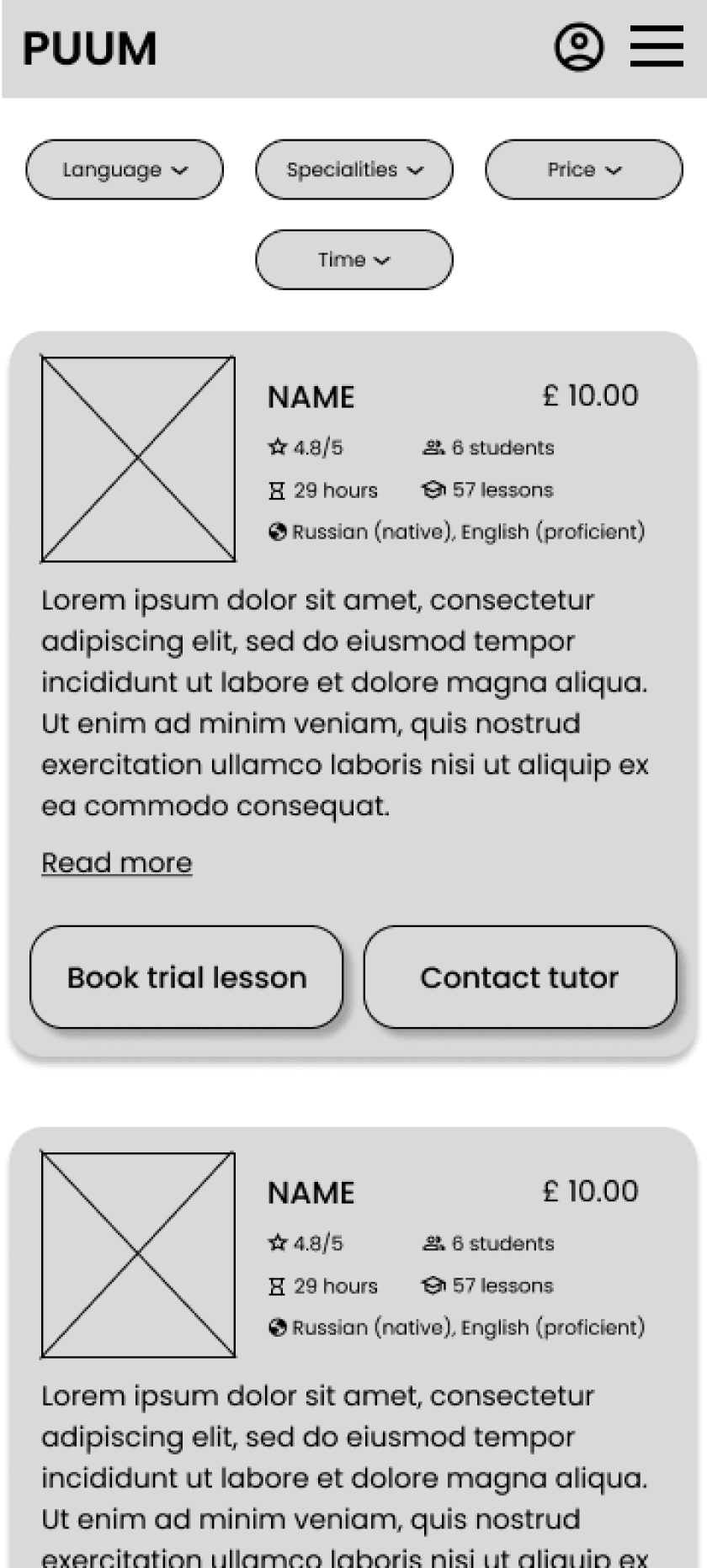
Focusing on the core features identified during user research, I sketched the first wireframes using the tablet. I drafted iterations of each screen. I also started to work on designs for additional screen sizes to make sure the site would be fully responsive.
Project
TUTOR
Category
UX Research, UI & UX Design
Duration
12 Weeks
PERSONA
“Present simple, past continuous...”
Goals
To find a tutor to help her child cope with the school curriculum and explain the basics of grammar.
To help her son adapting to a new environment.
To help her son getting good grades.
Frustrations
‘We are foreigners, so we need help‘
‘My child cannot keep up with all the English lessons, especially grammar.’
‘There are no teachers in the school who have experience tutoring English or have the time to do so.'
Sara
Sara is a single mum living with her 12-year-old son in the United Kingdom. They moved to the UK 2 years ago and her son struggles with the school programme as English is not their first language. He is doing well in most subjects but lags behind his classmates in English, especially in grammar. Sara wants to find a tutor who will help her child individually.
29
University graduate
London, the UK
Divorced, 1 son
Accountant
Age:
Education:
Hometown:
Family:
Occupation:

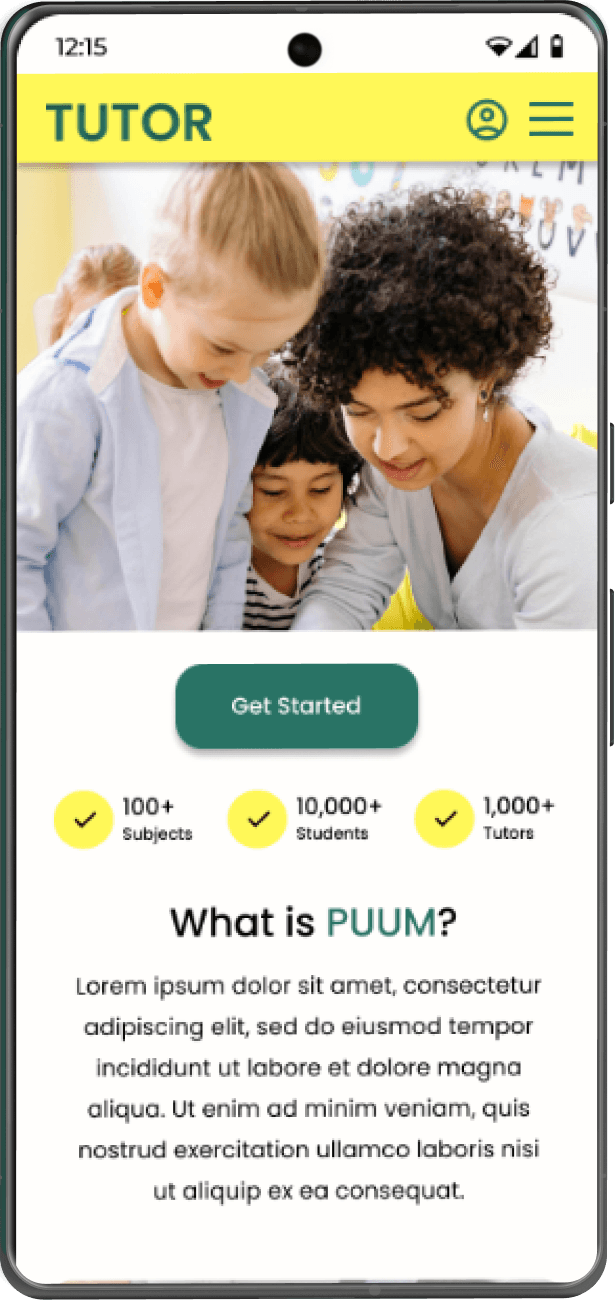
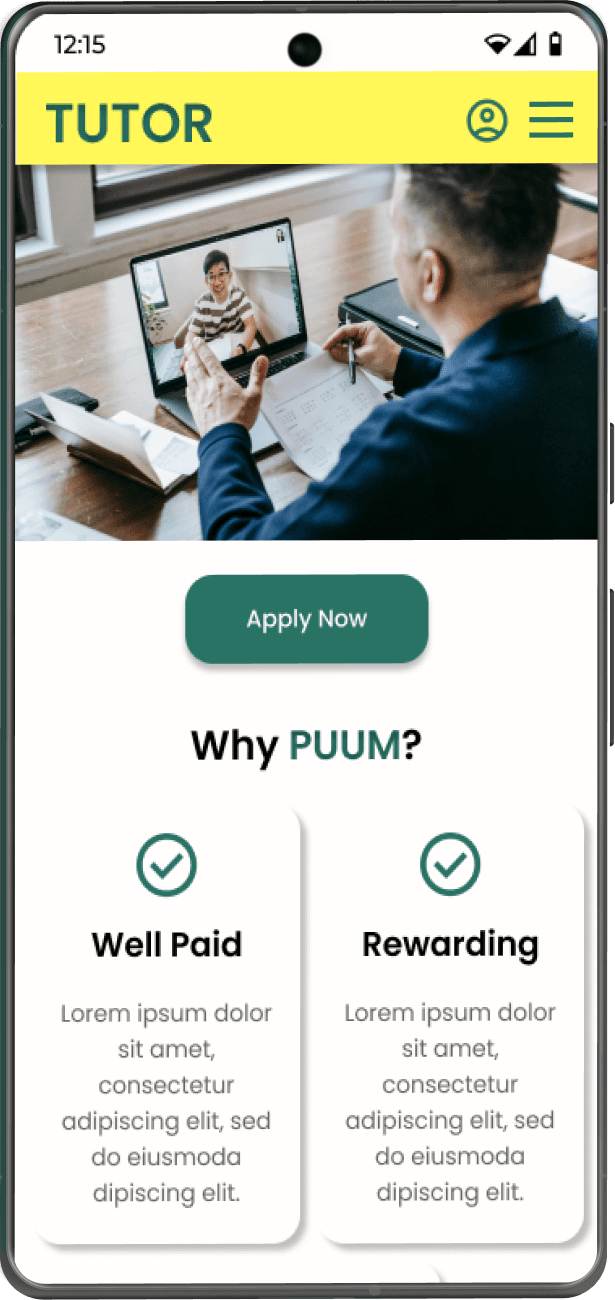
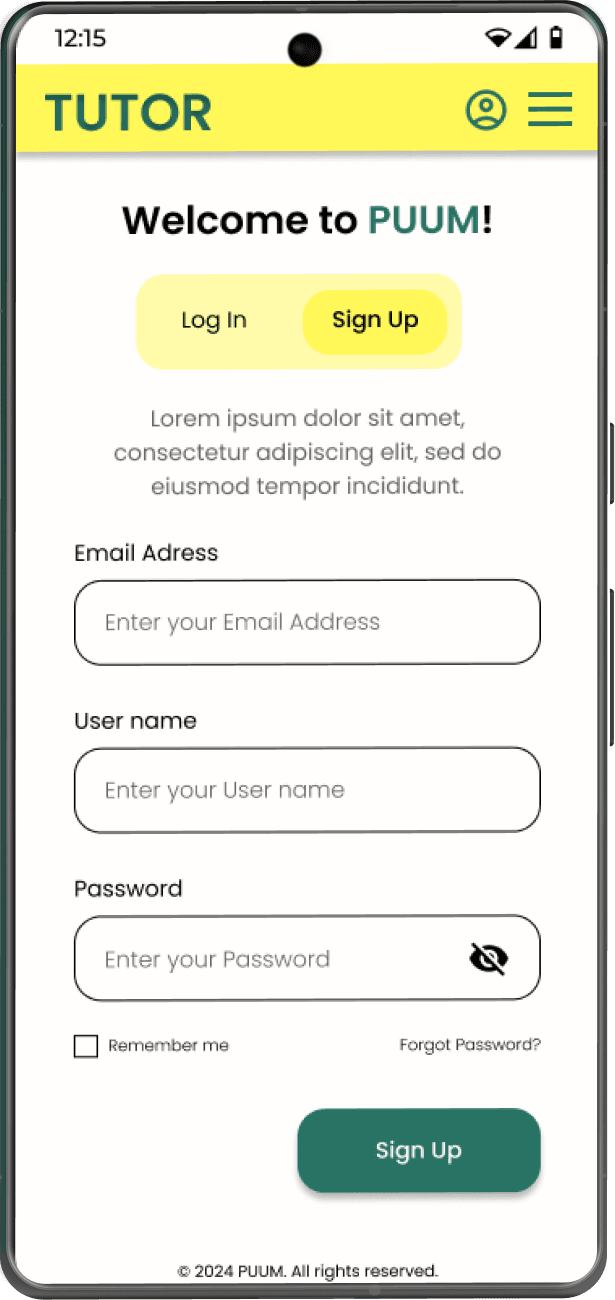
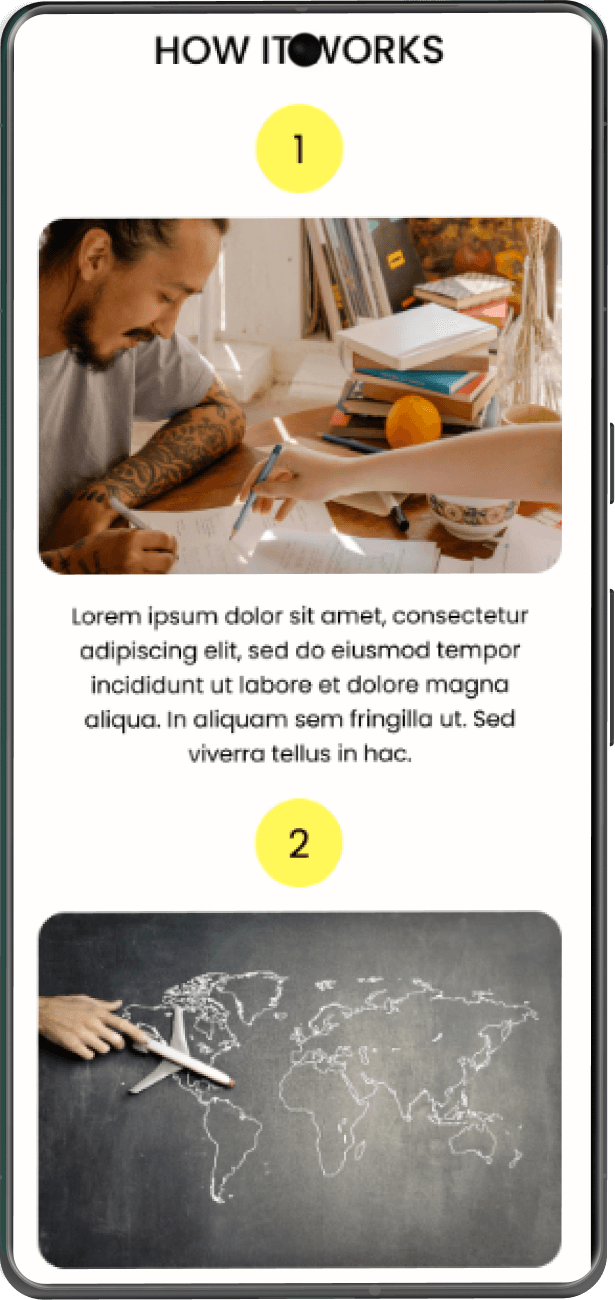
MOCK-UPS: SCREEN SIZE VARIATIONS
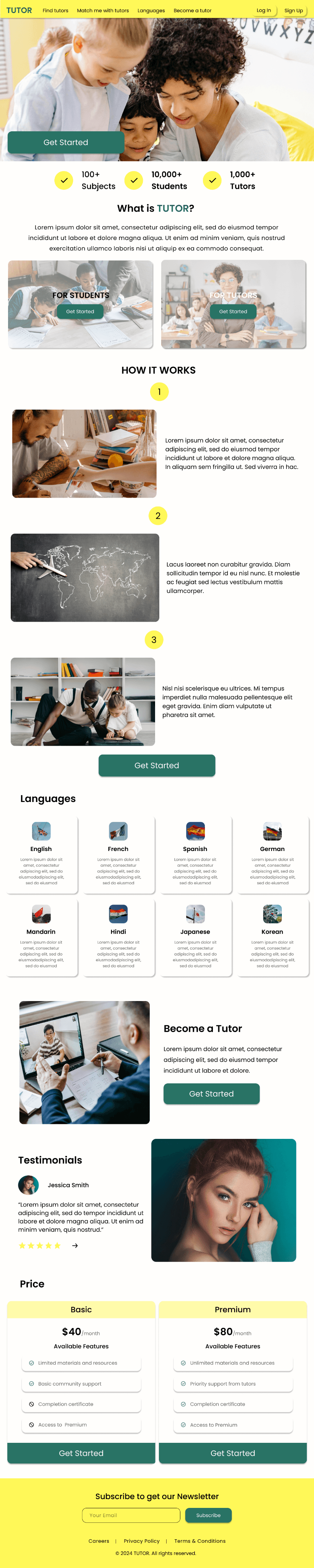
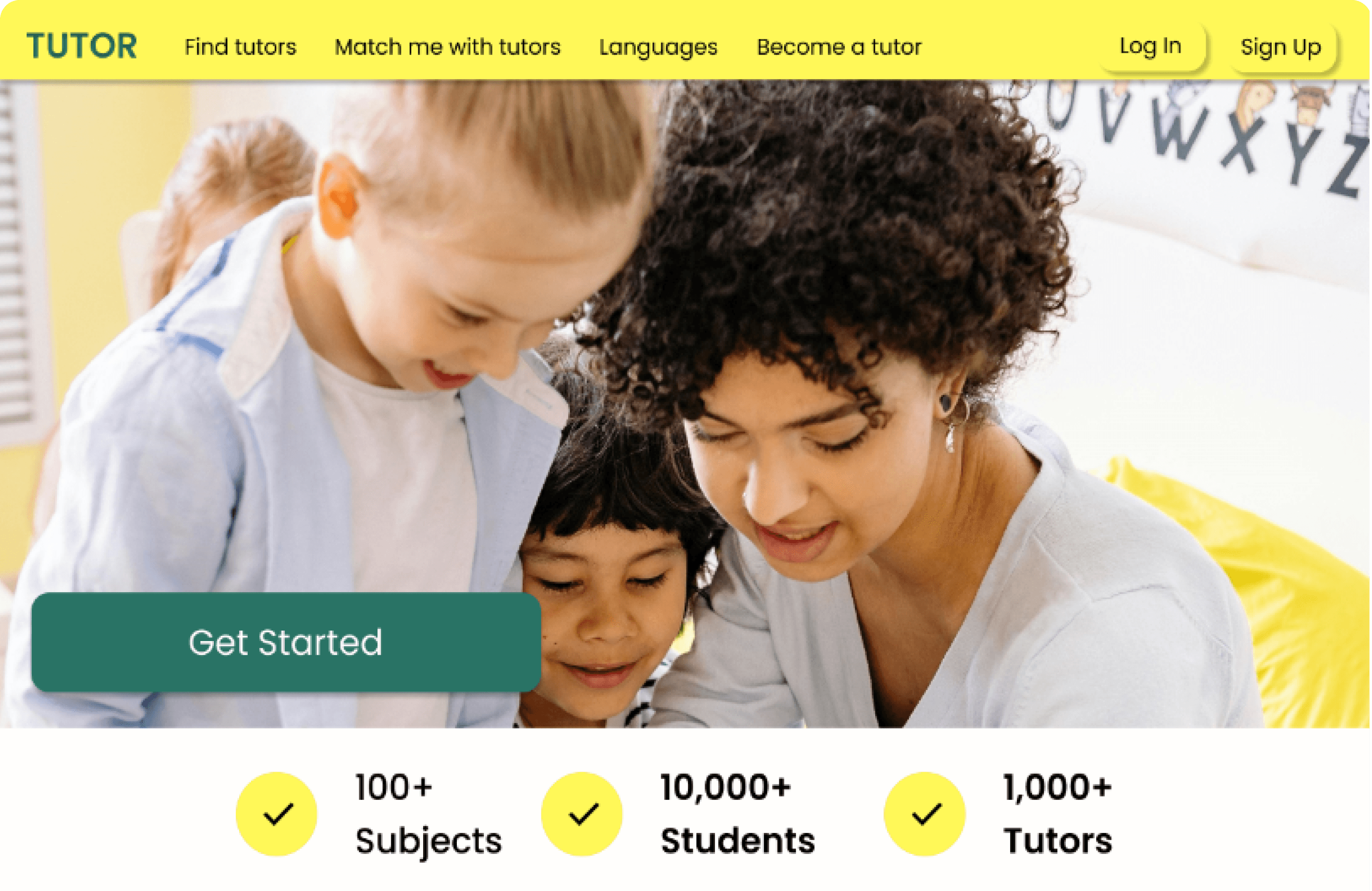
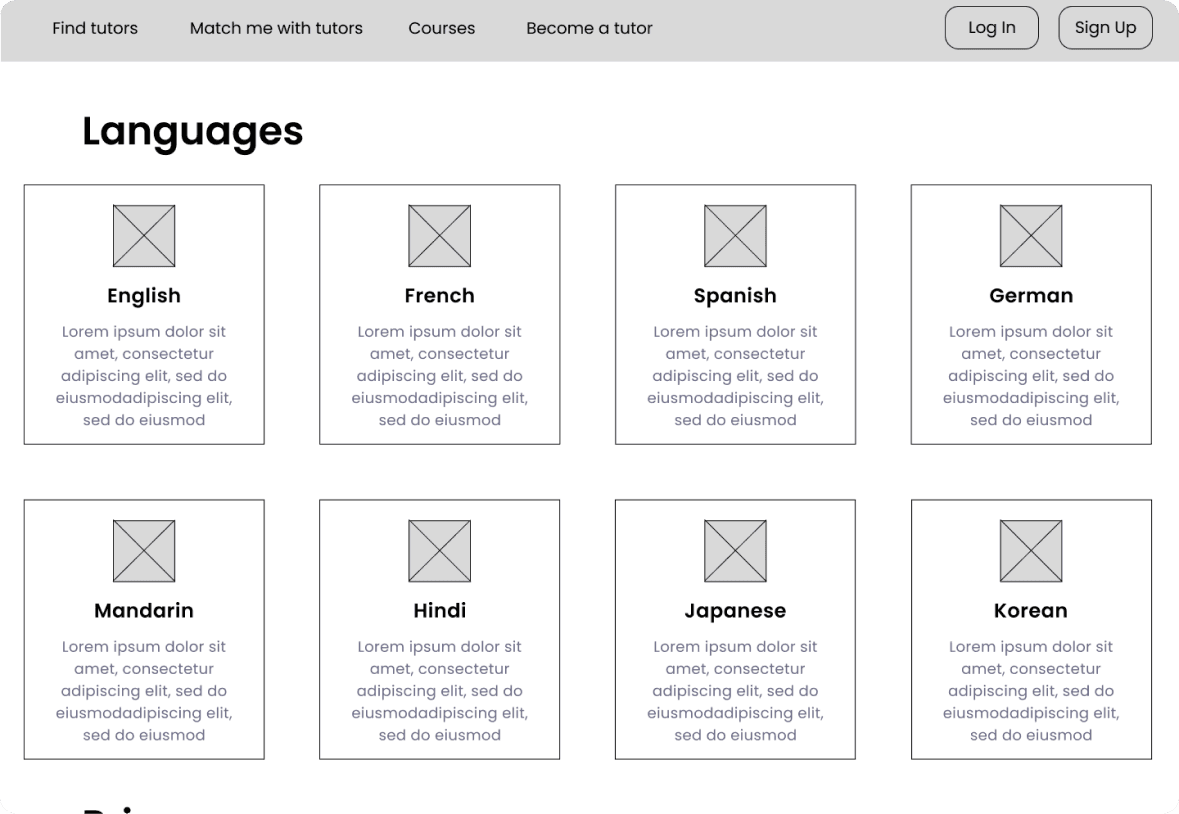
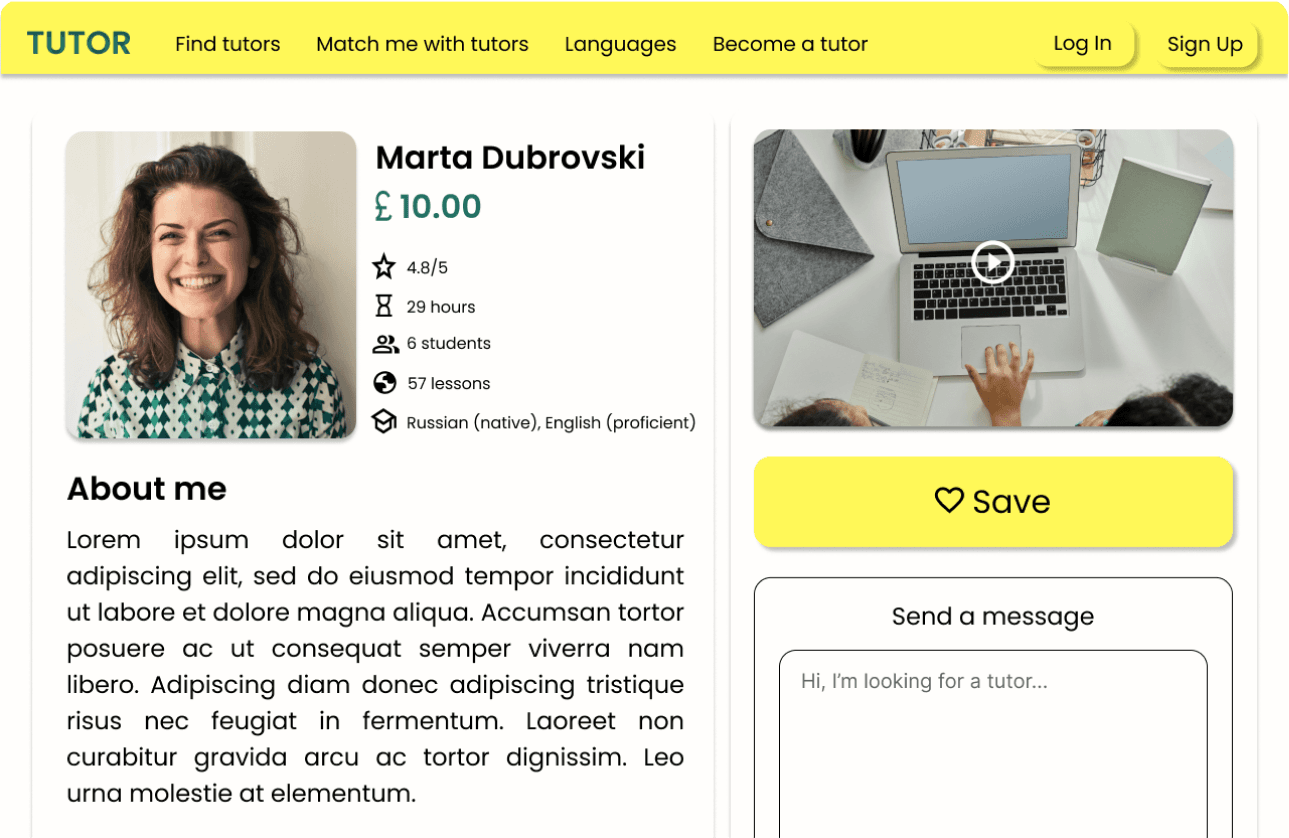
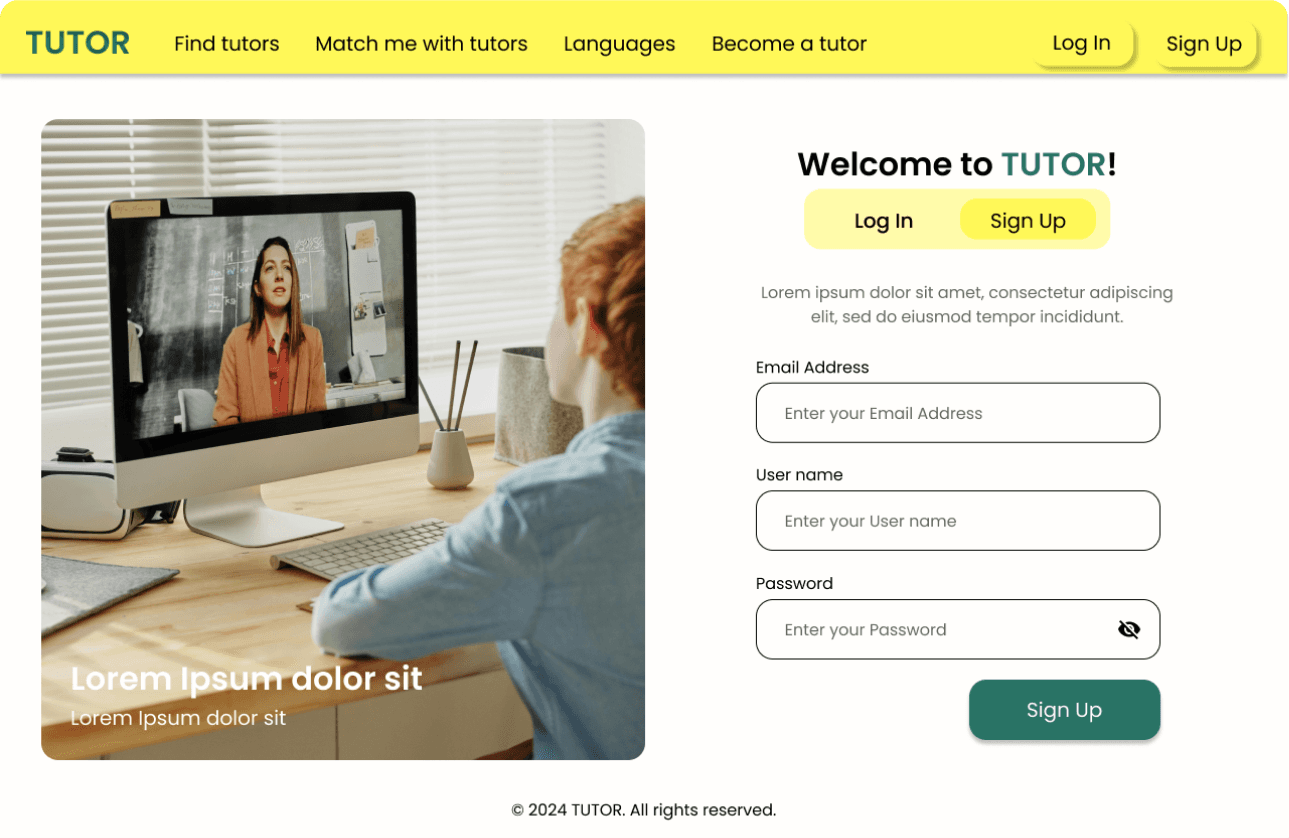
Considering that this is an educational platform, responsive design was important, so the final version of the website is accessible on various devices.
USABILITY STUDY
Unmoderated usability study
Study Type

United Kingdom, remote
Location

5 participants
Participants

20-30 minutes
Length



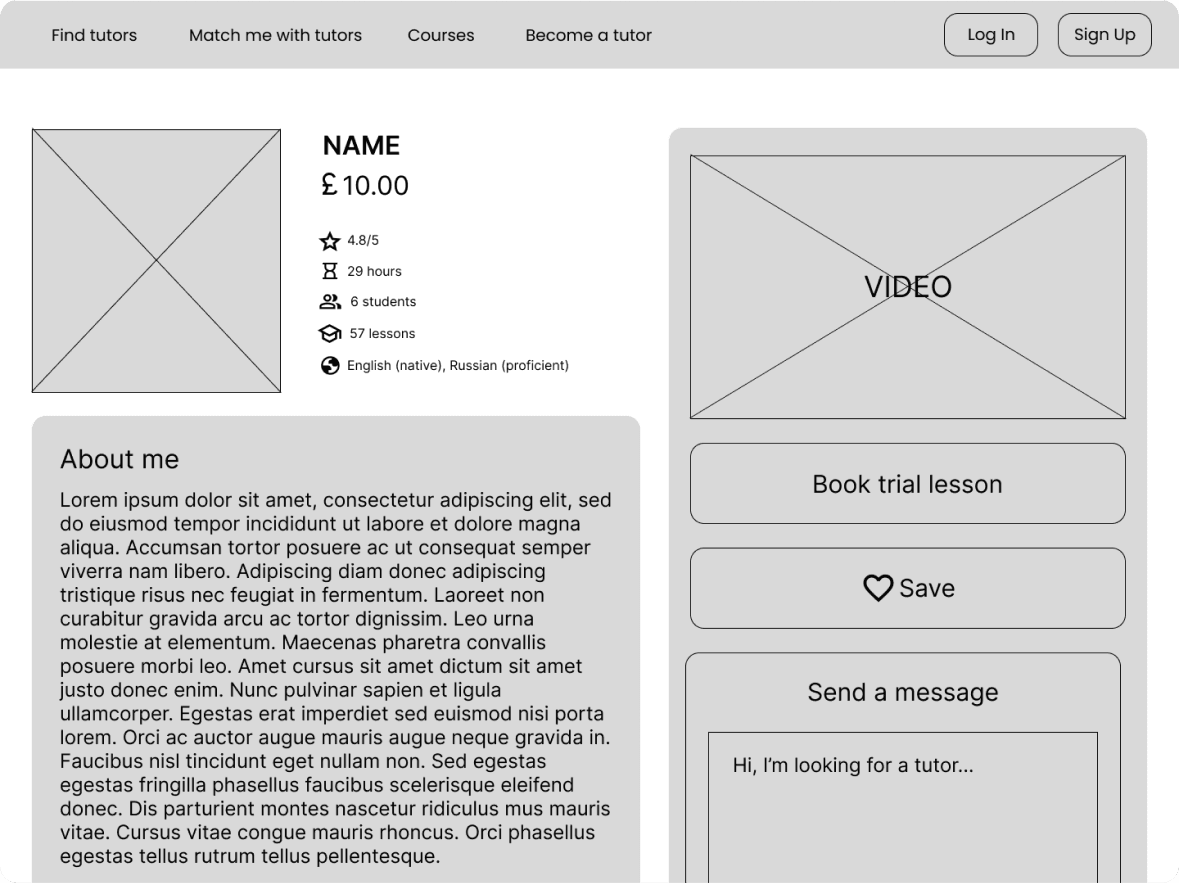
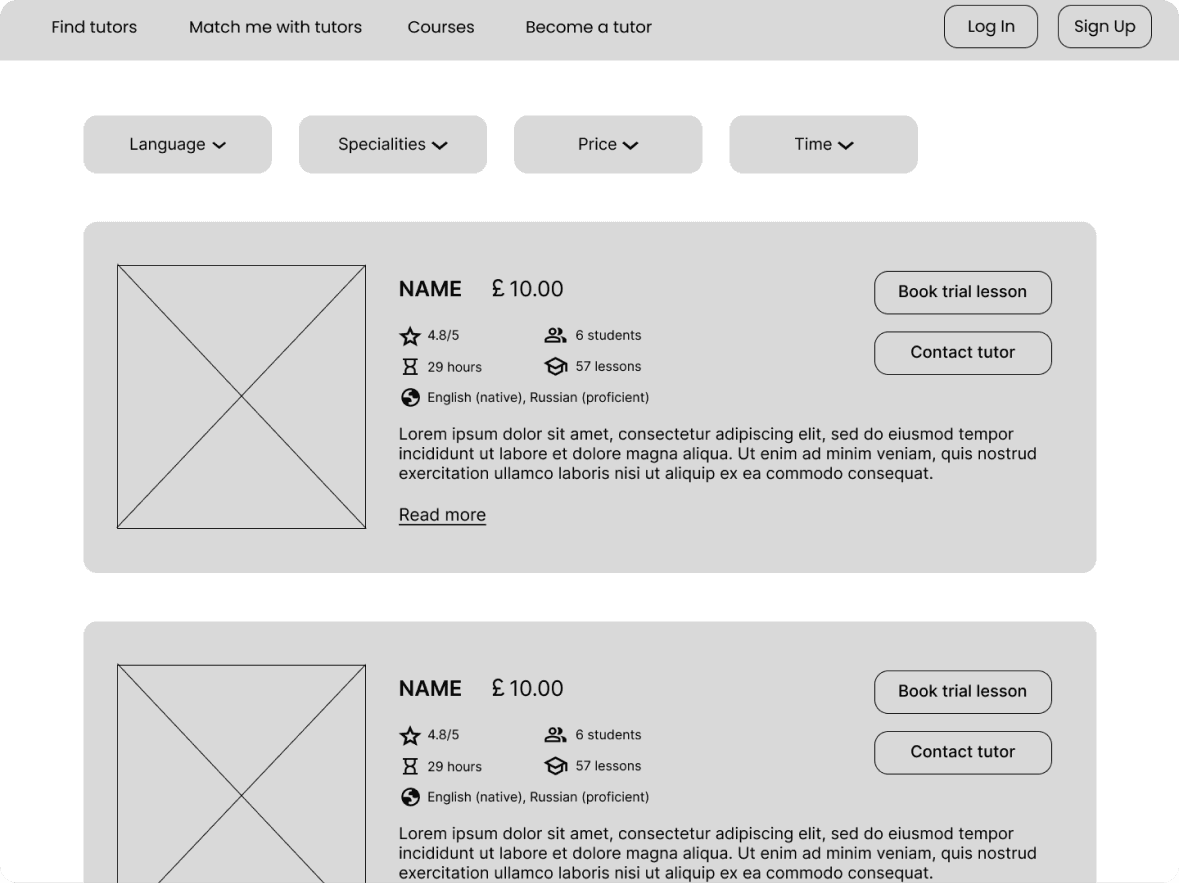
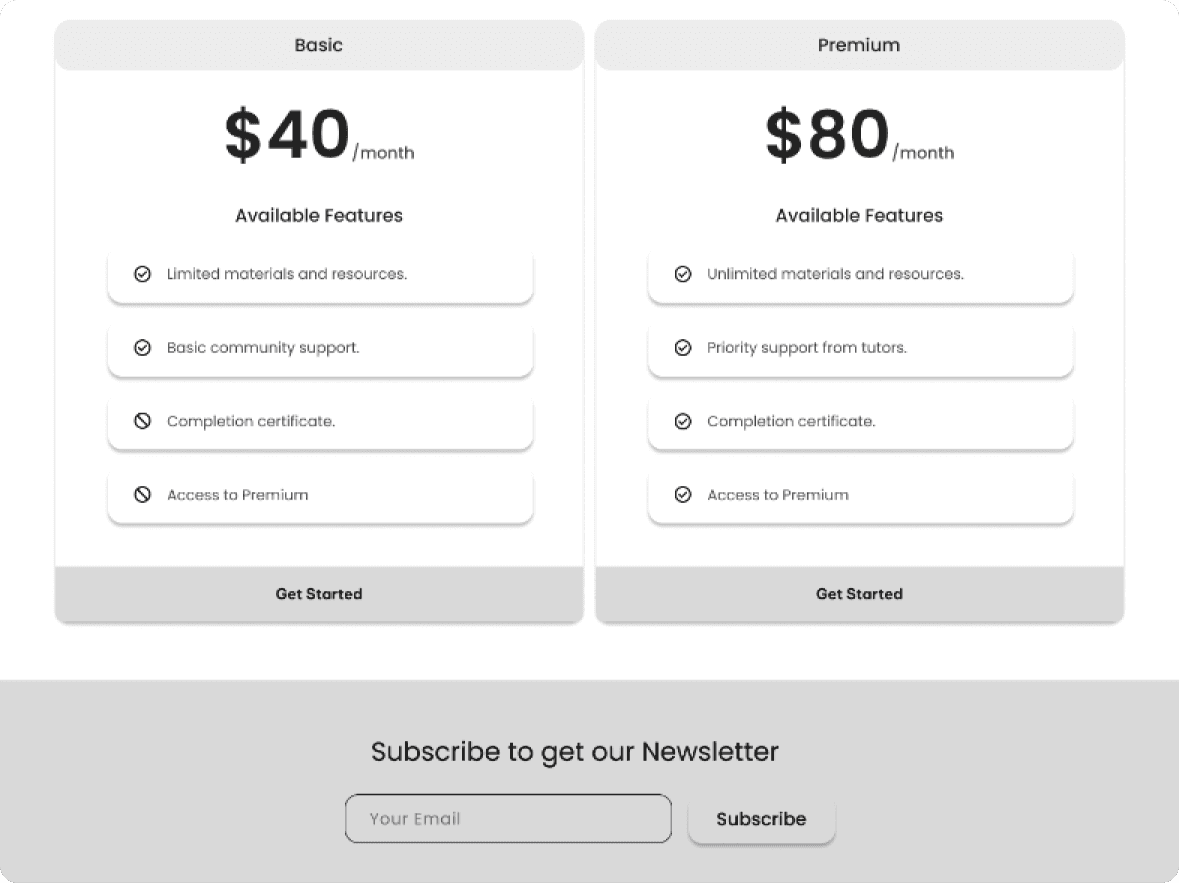
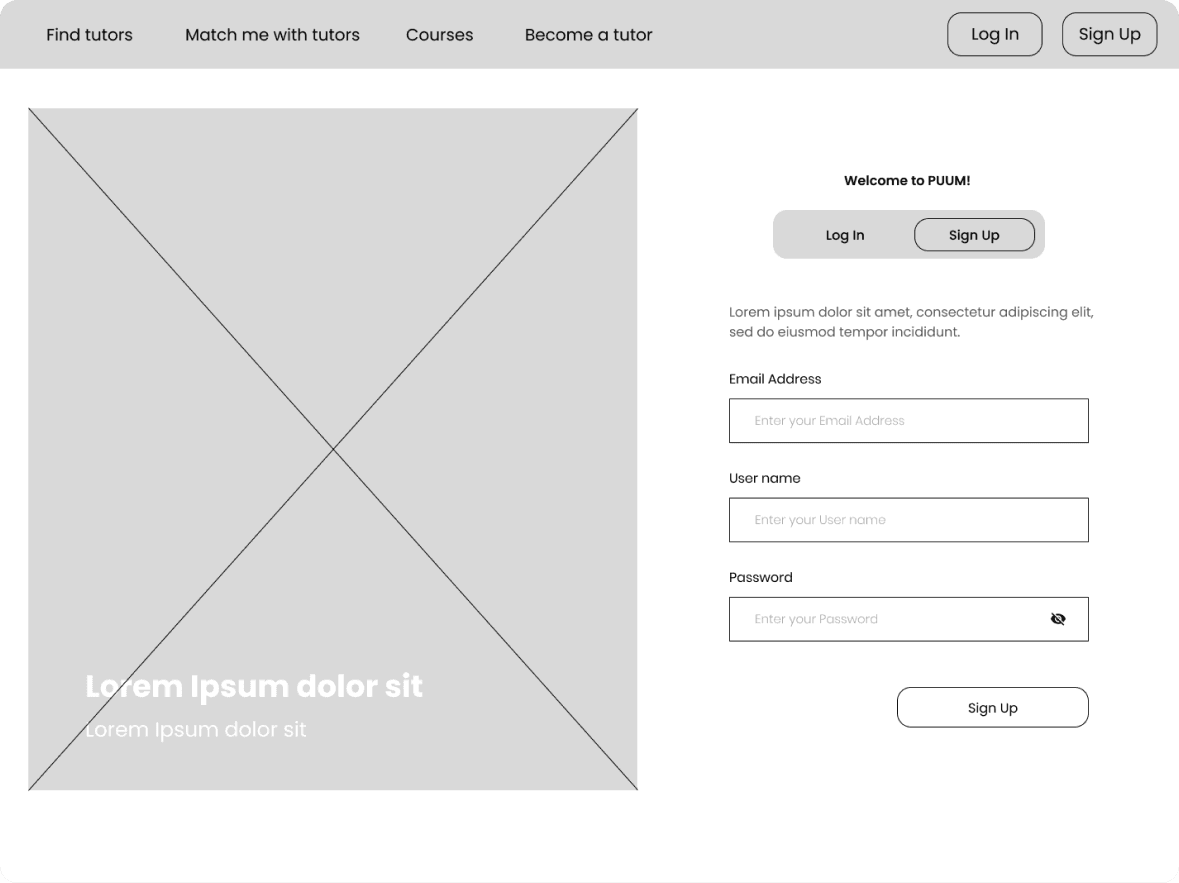
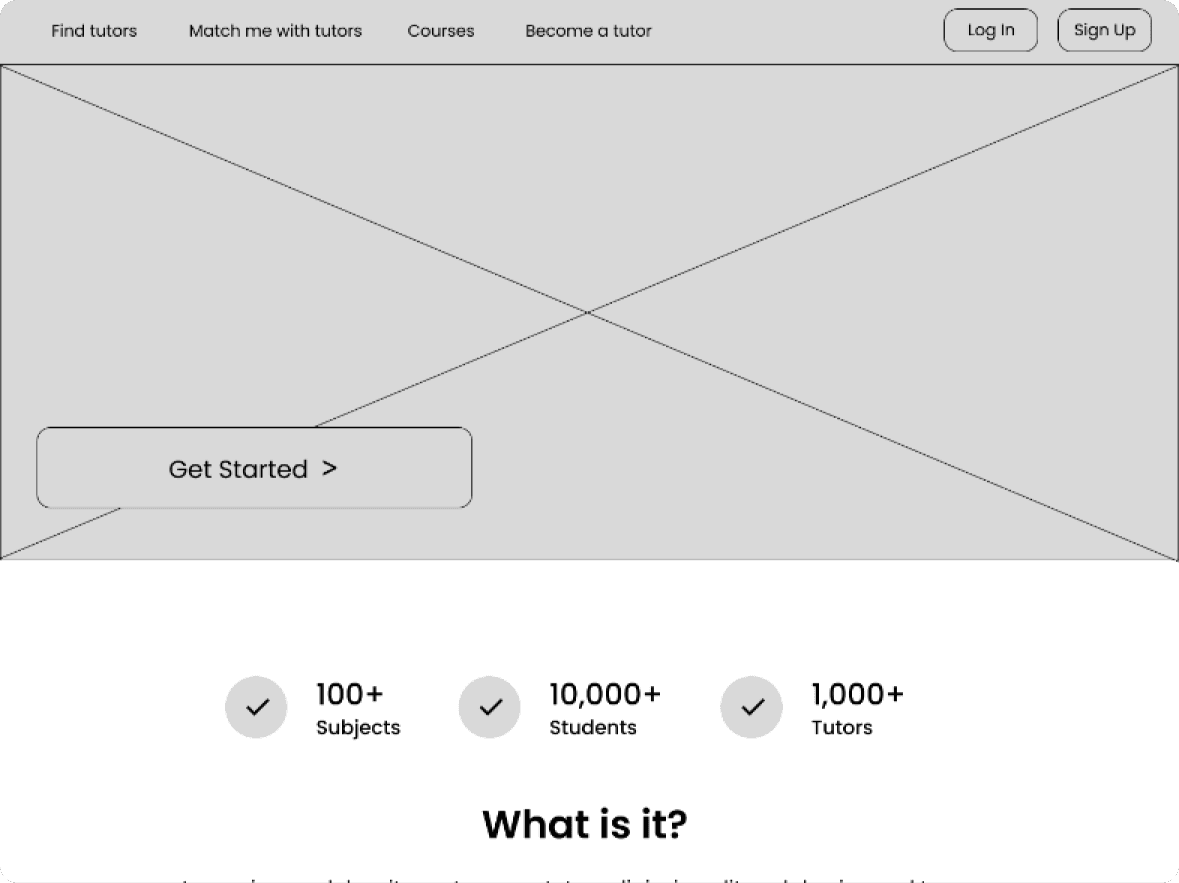
DIGITAL WIREFRAMES
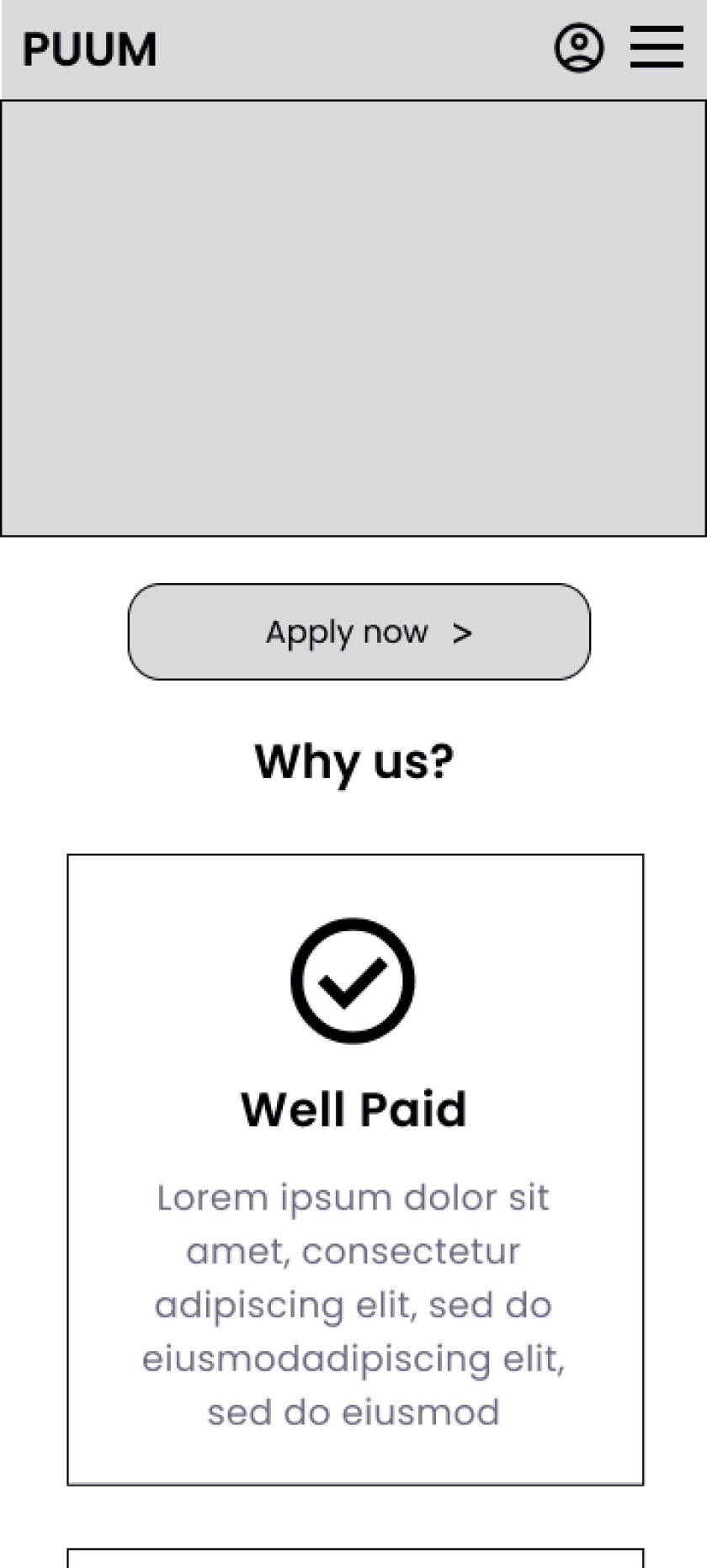
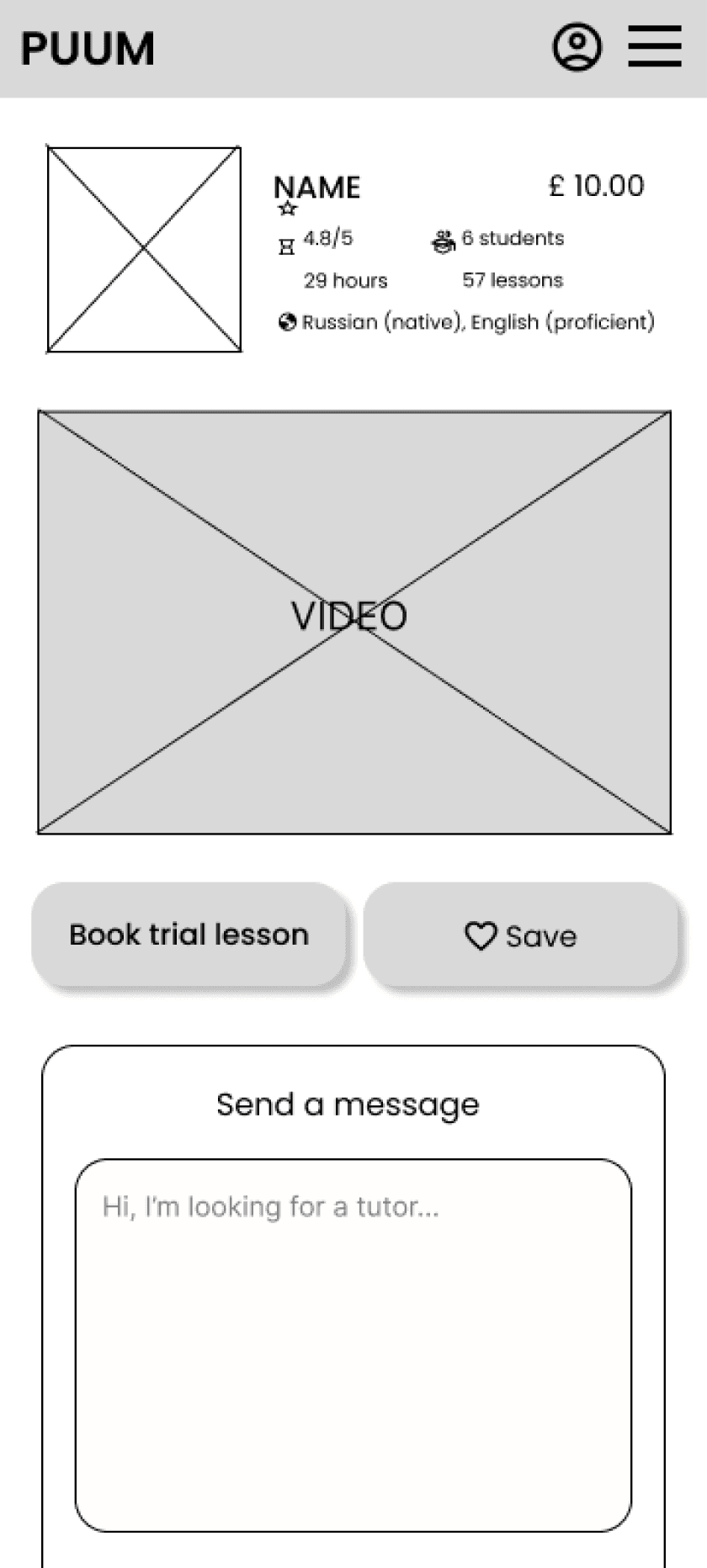
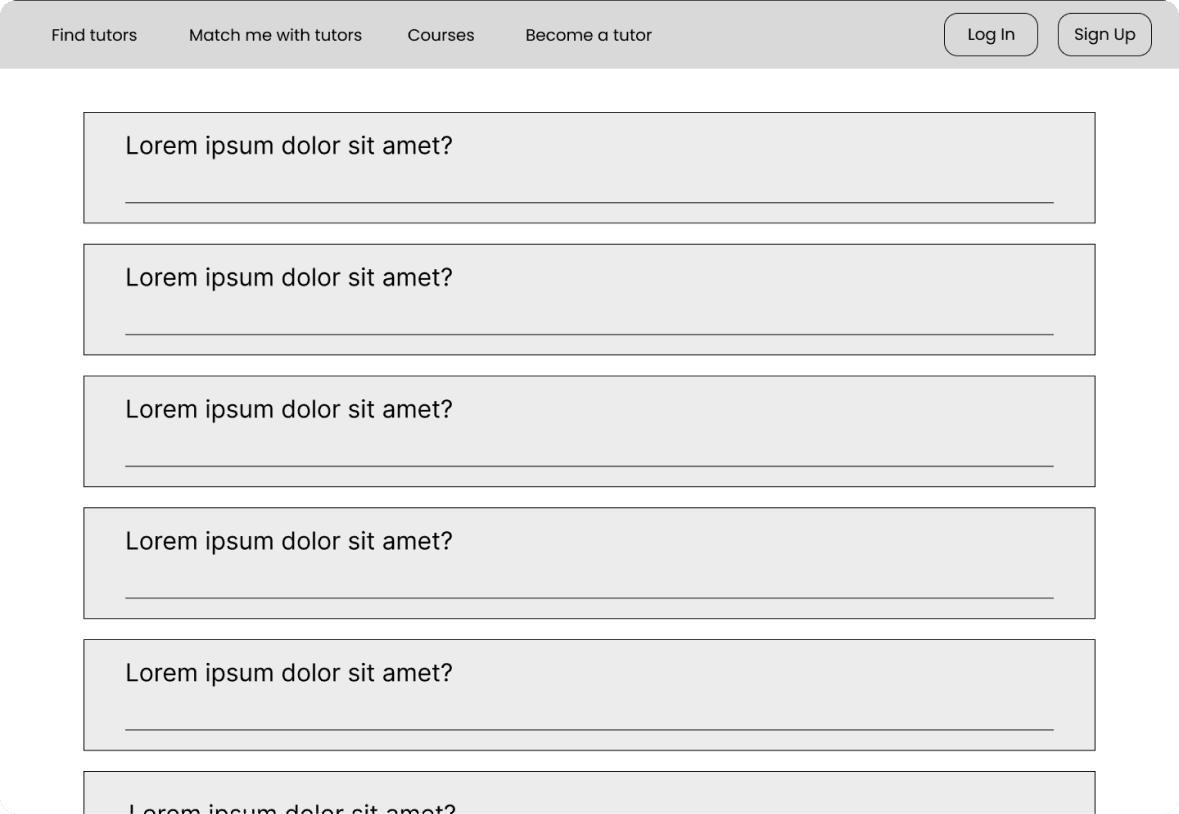
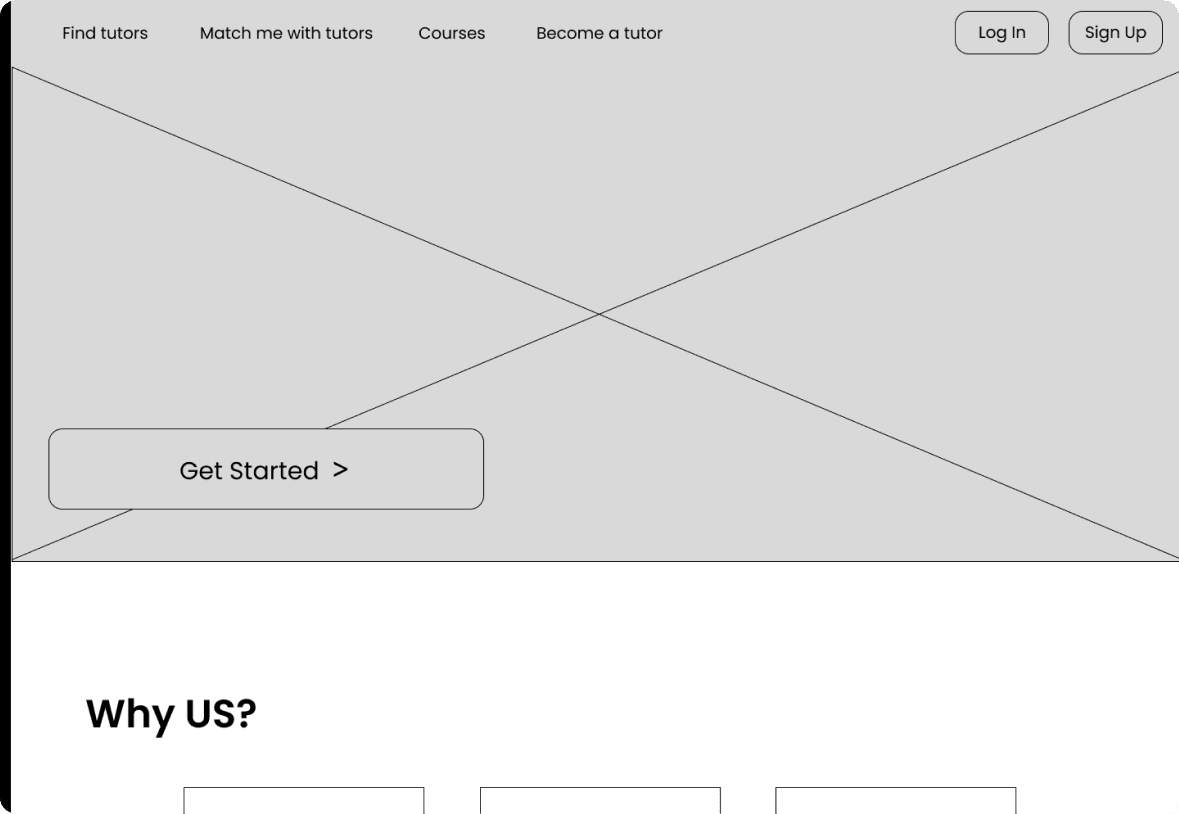
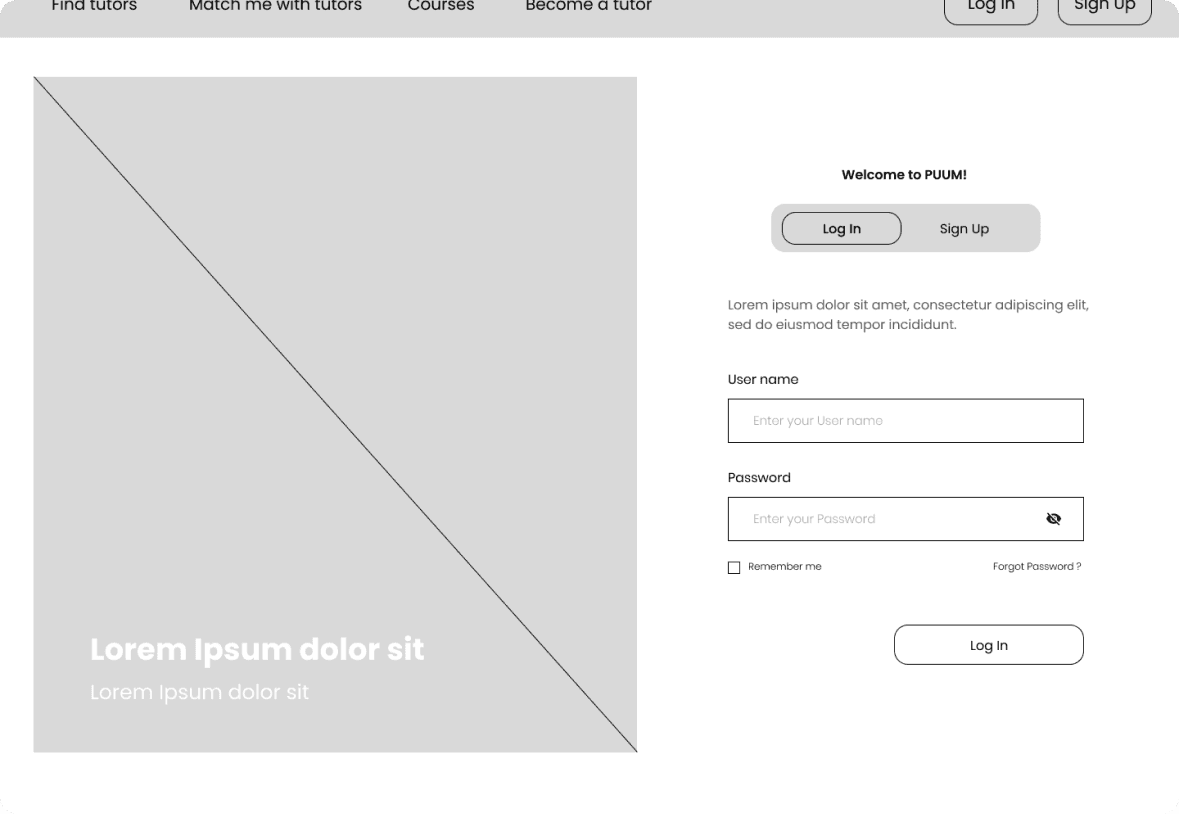
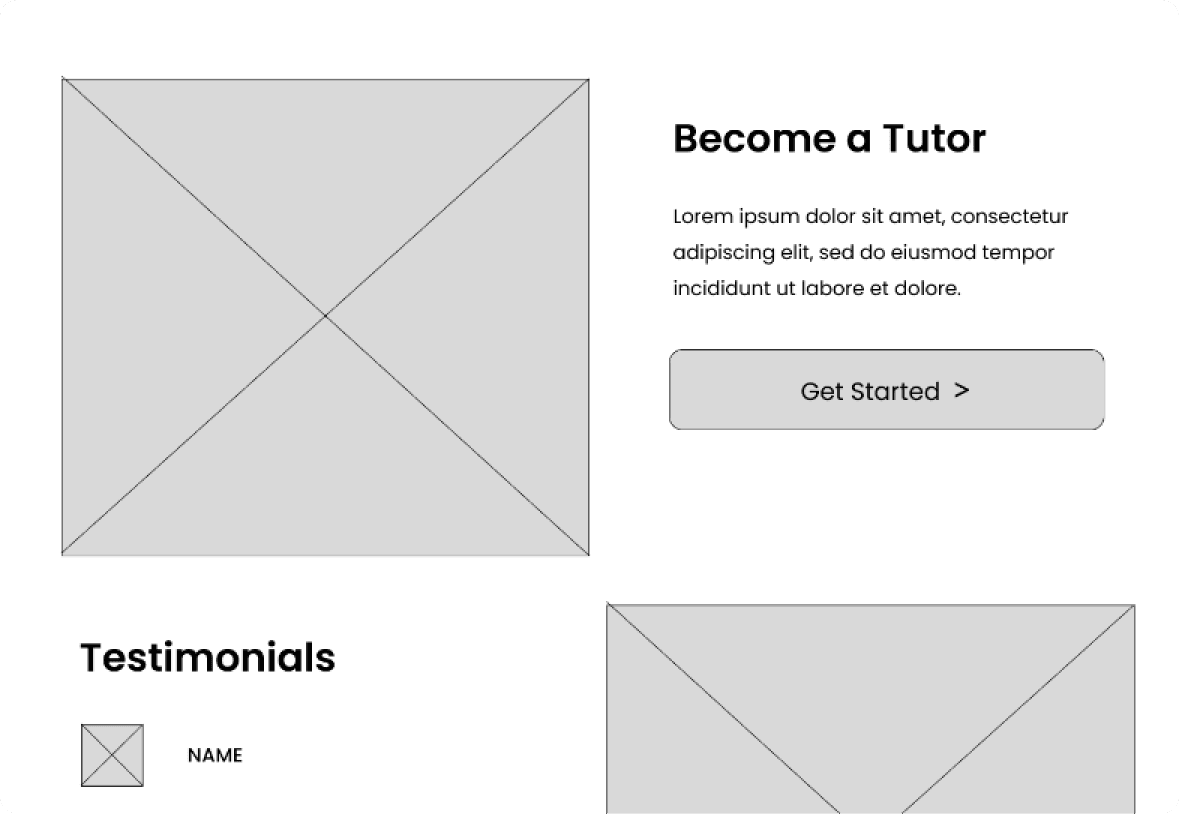
Using wireframes, I put my ideas on paper first and then started to make digital wireframes. After dozens of iterations, these are the wireframes that best represented user flow and met user needs.
Easy access for communication with the tutor
LOW-FIDELITY PROTOTYPE
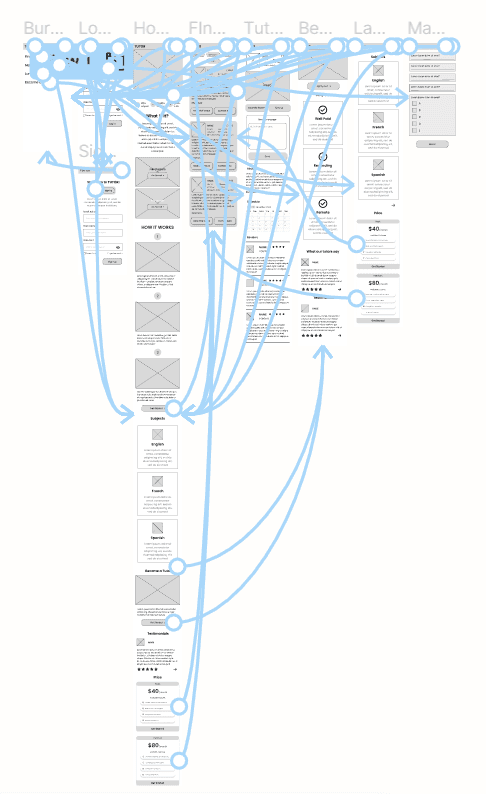
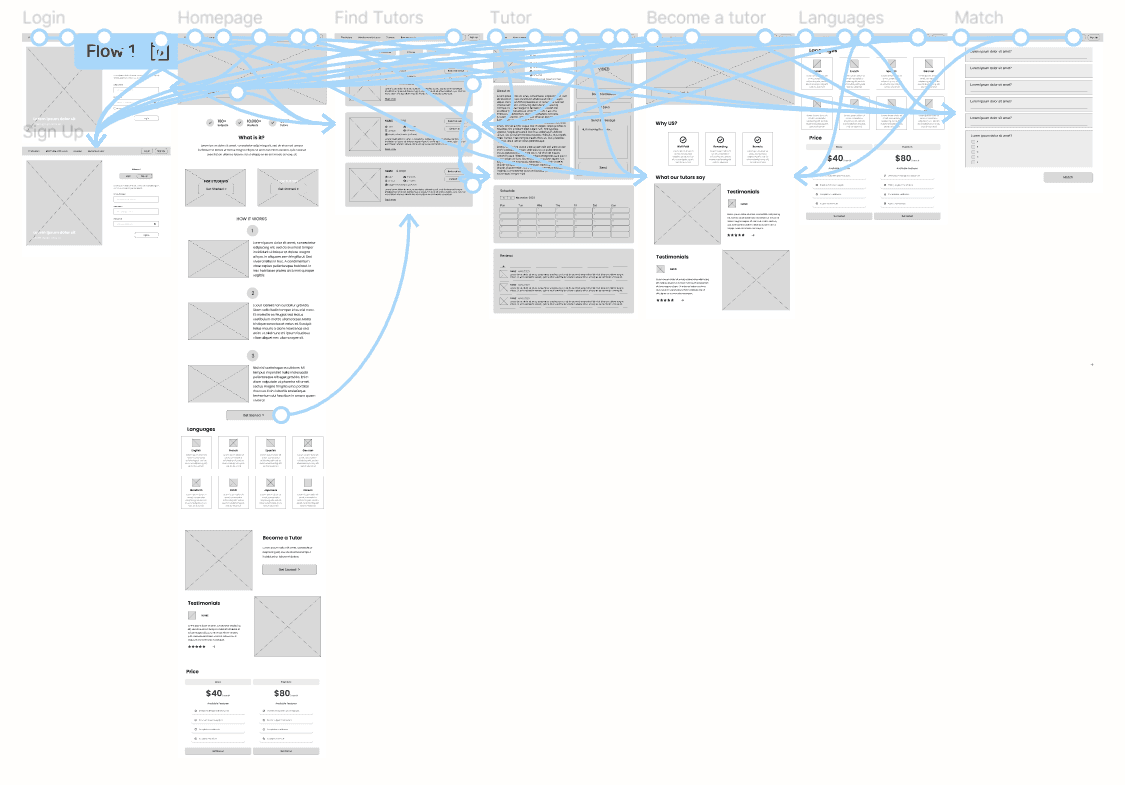
I created a low-fidelity prototype from the user flow diagram and wireframes to test functionality before incorporating it into the final design and ensuring accessibility for end-users.
View the low-fidelity prototype - desktop
View the low-fidelity prototype - phone
USABILITY STUDY: FINDINGS
I conducted two rounds of usability studies. Findings from the first study helped guide the designs from wireframes to mockups. The second study used a high-fidelity prototype and revealed what aspects of the mockups needed refining.
1
Users need more visually prominent buttons
2
Users need a less crowded interface
Round 1 findings
1
Users with low vision may struggle to read text that has a poor colour contrast ratio against its background.
2
There is a need to add an option to sign in or log in to a user account
Round 2 findings
ACCESSIBILITY CONSIDERATIONS
There is no complex language or confusing instructions, which can be a serious obstacle for users with cognitive or learning difficulties.
1
Used only one font – Poppins – because mixing too many different fonts can make apps look fragmented and cluttered.
2
Provided access to users with vision deficiency by using contrasting and recognisable colours.
3
TAKEAWAYS
In this study, I aimed to address common issues faced by users and evaluate the impact of UX design on their mood and decision-making process. Through conducting this research and design, I gained a deeper understanding of how user experience can significantly influence a user’s emotions and choices.
Impact
I have gained valuable insights and knowledge through the design process. Some of the key things I have learned include:
Understanding user needs
Importance of simplicity
Accessibility considerations
Understanding and implementing user feedback
Manage information to not overwhelm the user
What I learned

LET'S CONNECT

Thank you for your time reviewing my work on the Tutor’s website!
If you would like to see more or get in touch, my contact information is provided below.
Oxford
perepelytsa.ad@gmail.com
+447342134384
HIGH-FIDELITY PROTOTYPE
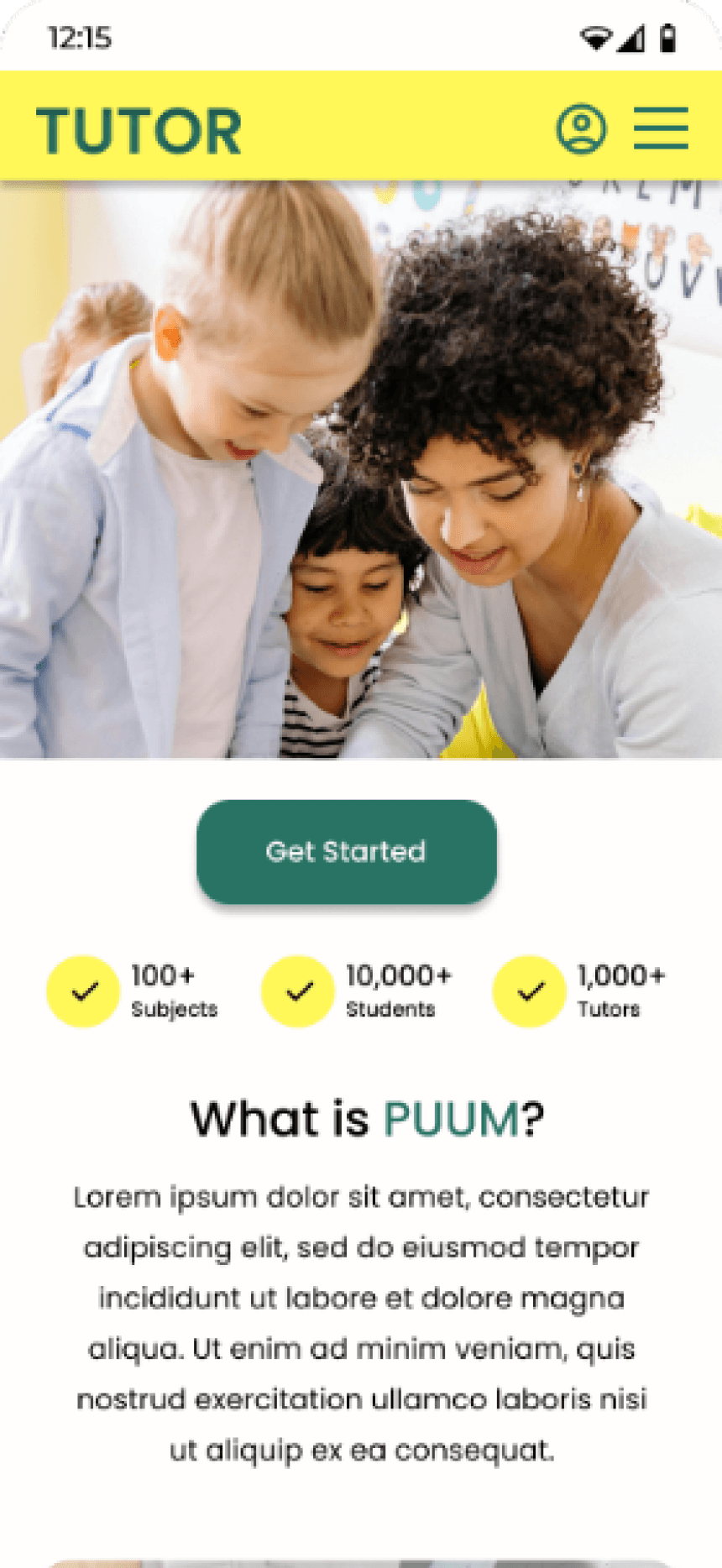
My hi-fi prototype followed the same user flow as the lo-fi prototype, and included the design changes made after the usability study.
View the high-fidelity prototype - desktop
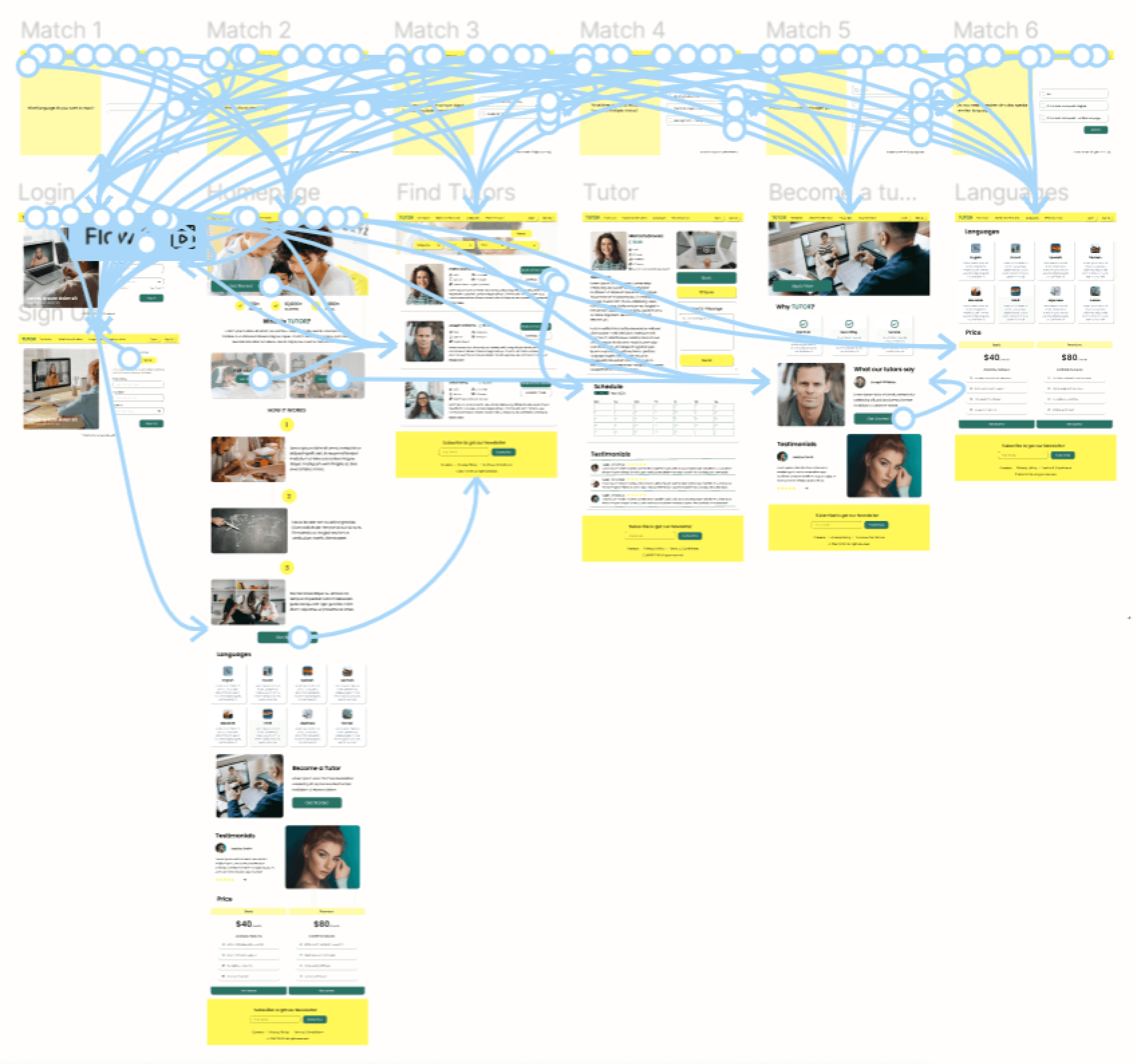
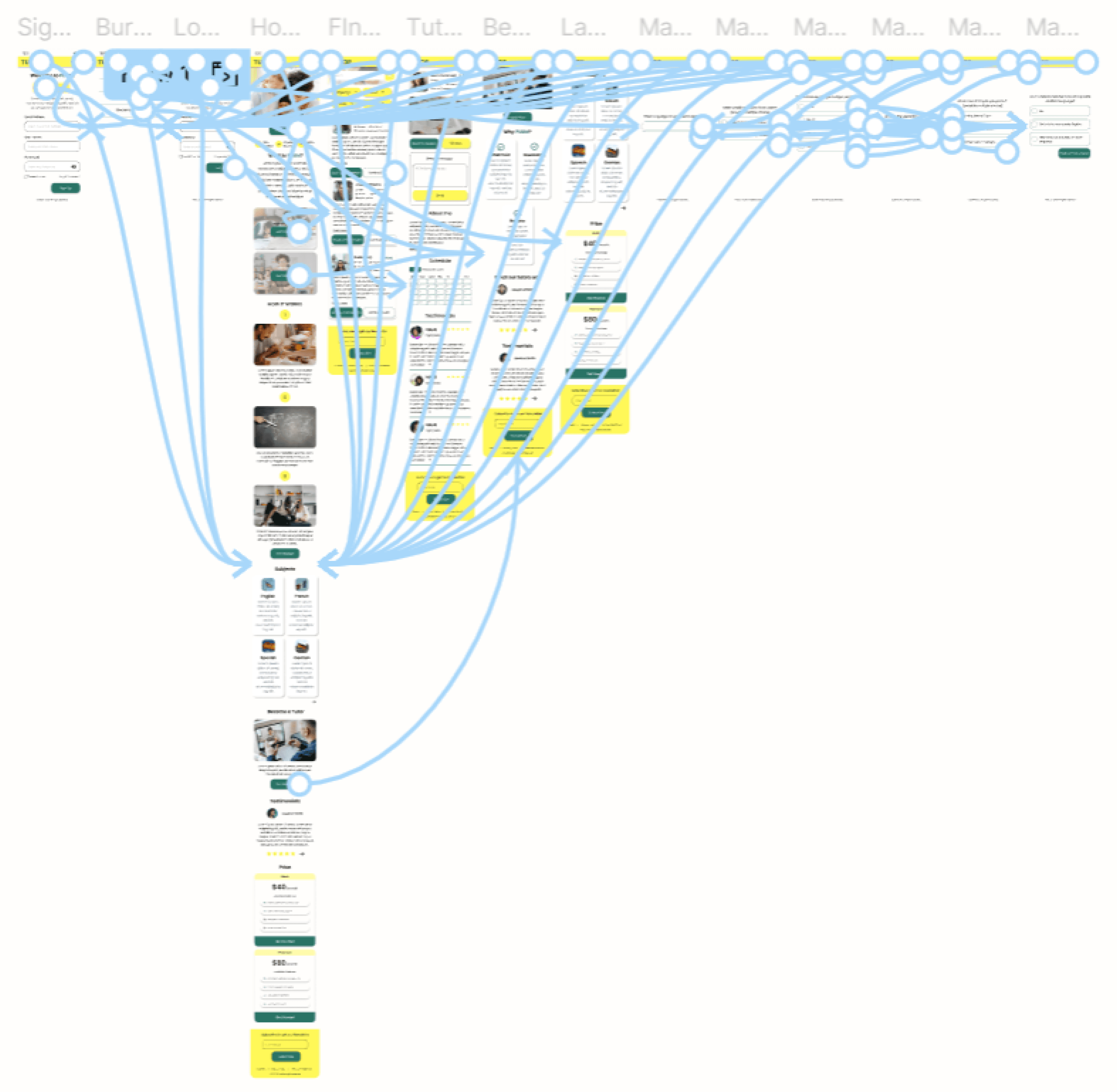
View the high-fidelity prototype - phone
DESIGN SYSTEM - TYPOGRAPHY, ICONS, COMPONENTS, COLOURS
Aa
A B C D E F G H I J K L M N O P Q R S T U V W X Y Z
A B C D E F G H I J K L M N O P Q R S T U V W X Y Z
0 1 2 3 4 5 6 7 8 9
Montserrat SemiBold
Montserrat Medium
Montserrat Regular
Primary
#297365
Secondary
#FFF858 50%
Primary 2
#FFF858
Text
#000000
Background
#FFFEFC
Text 2
#000000 60%
USABILITY STUDY: RESULTS
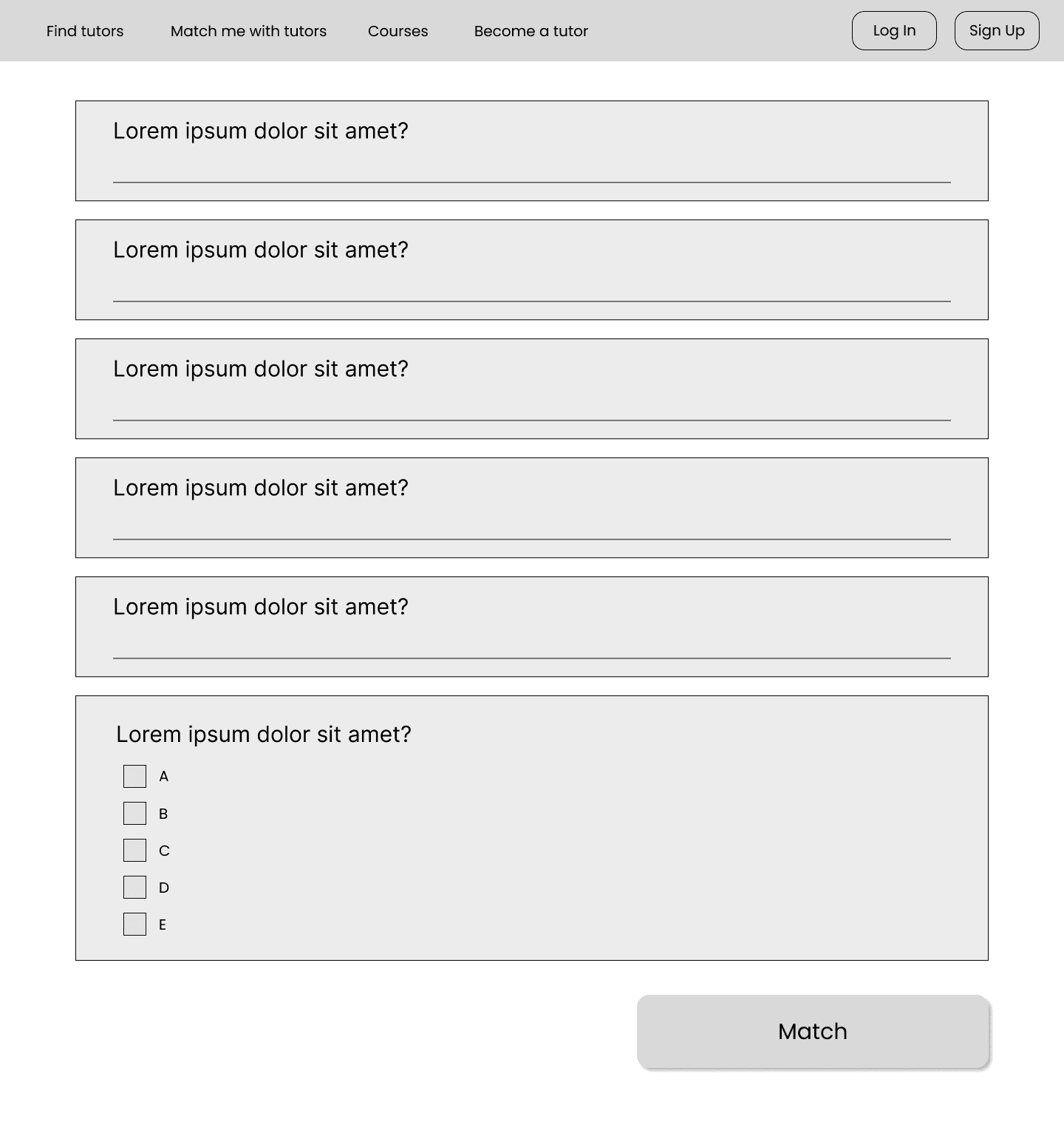
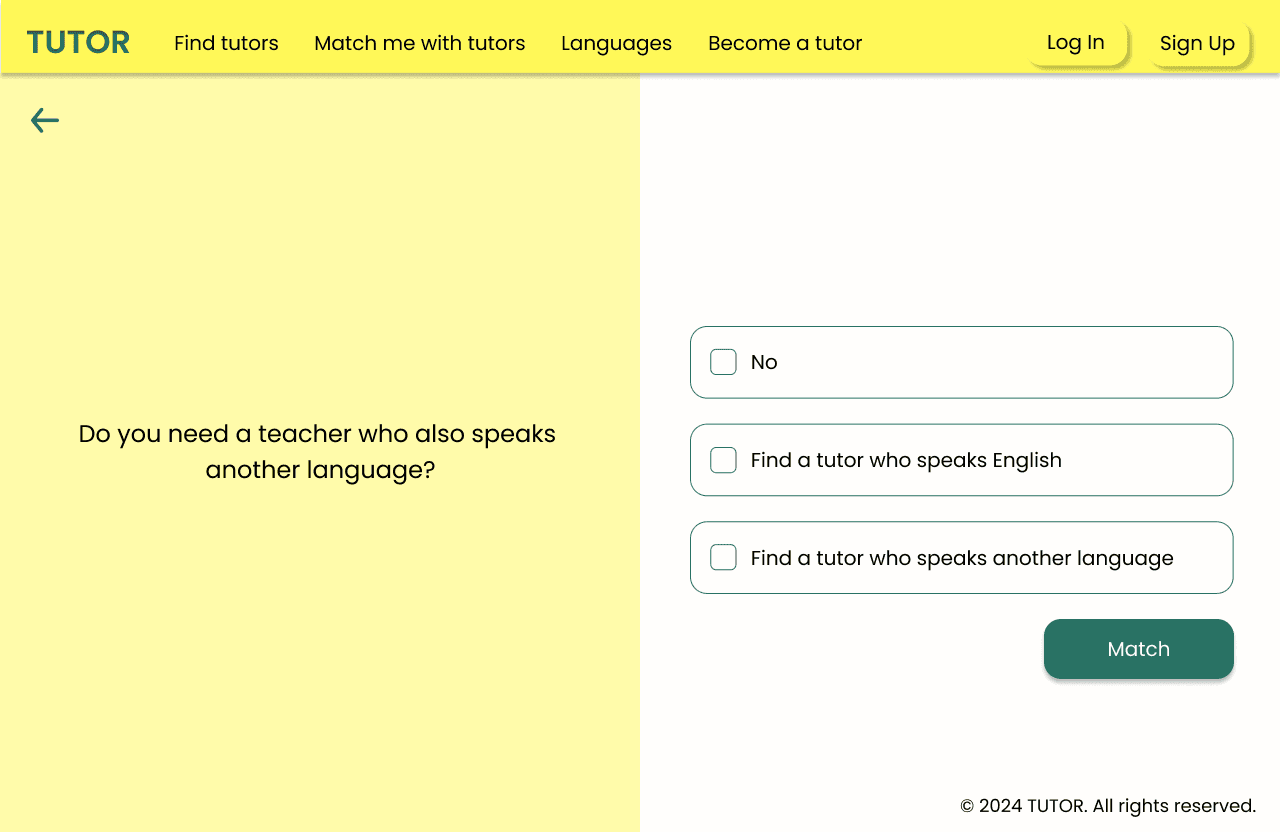
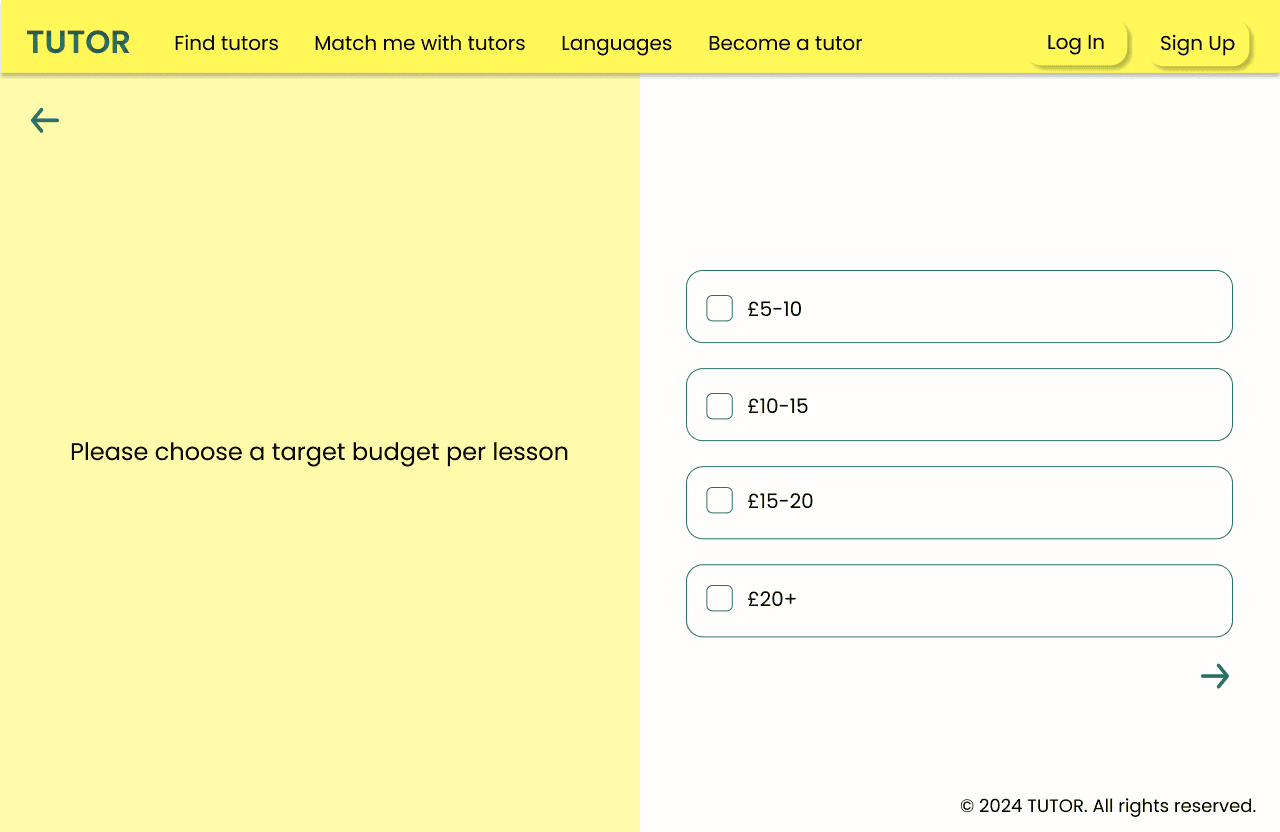
Based on the insights from the usability study, I made changes to improve the site’s tutor matching flow. I added a more interactive and less cluttered form-filling design.
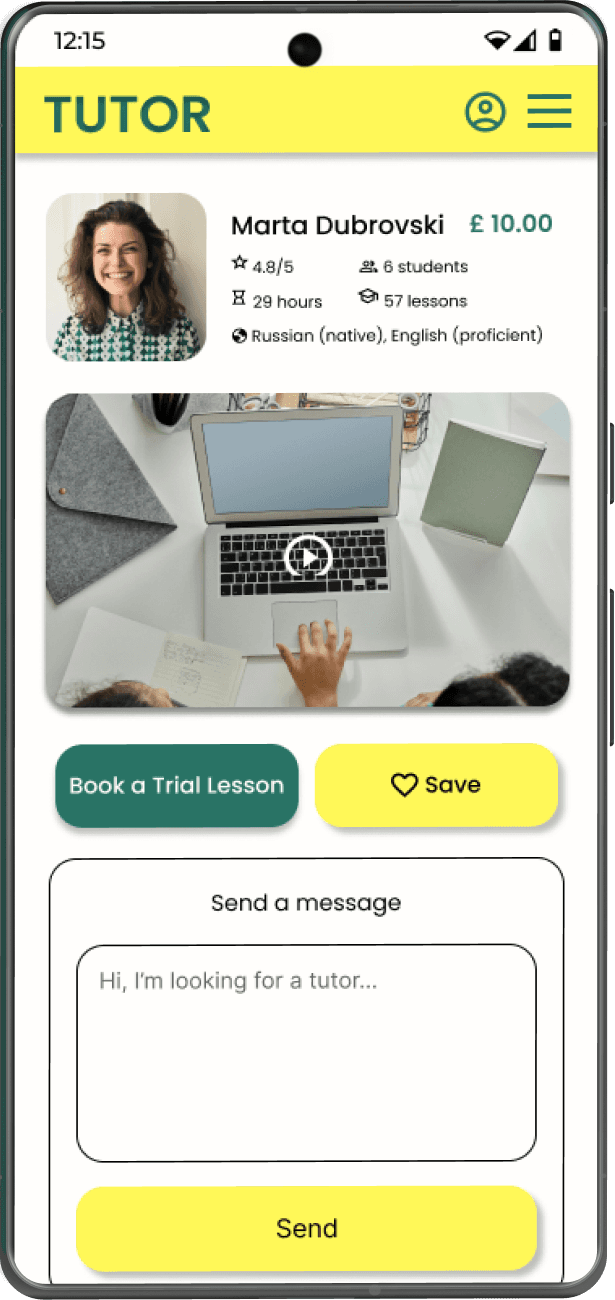
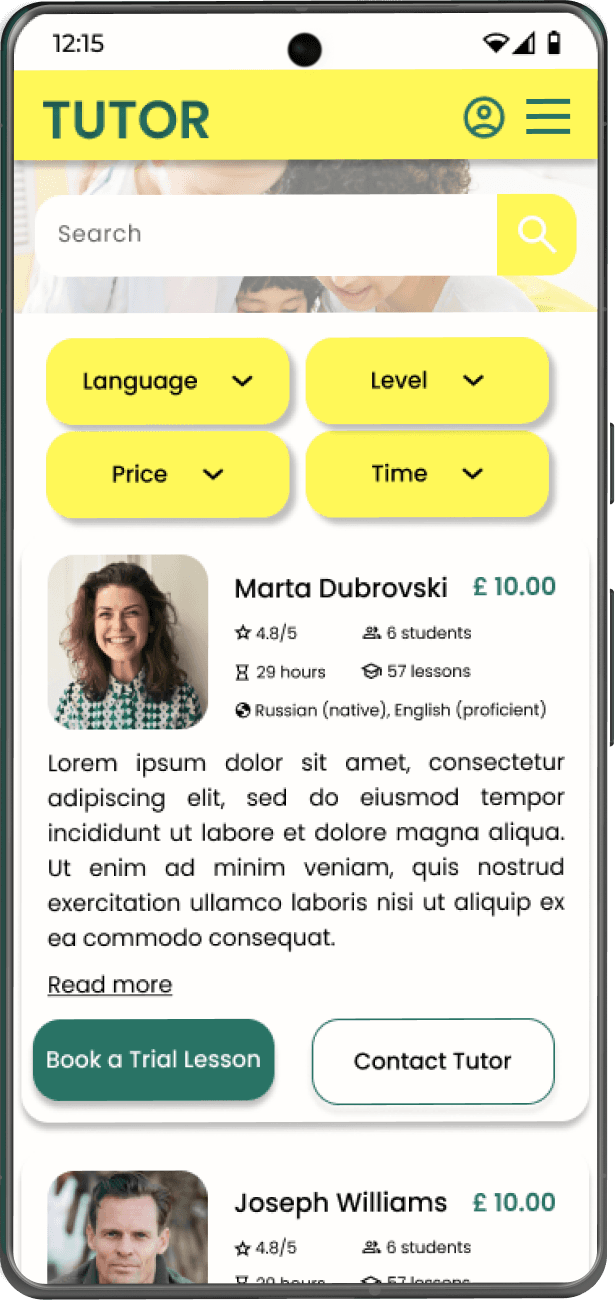
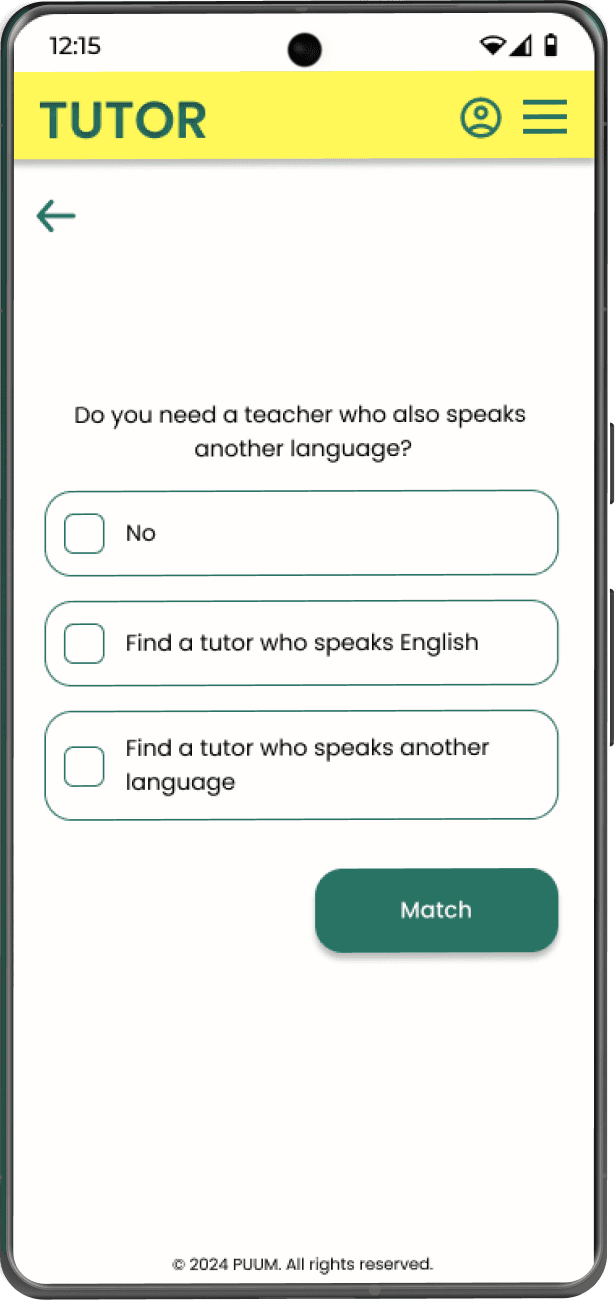
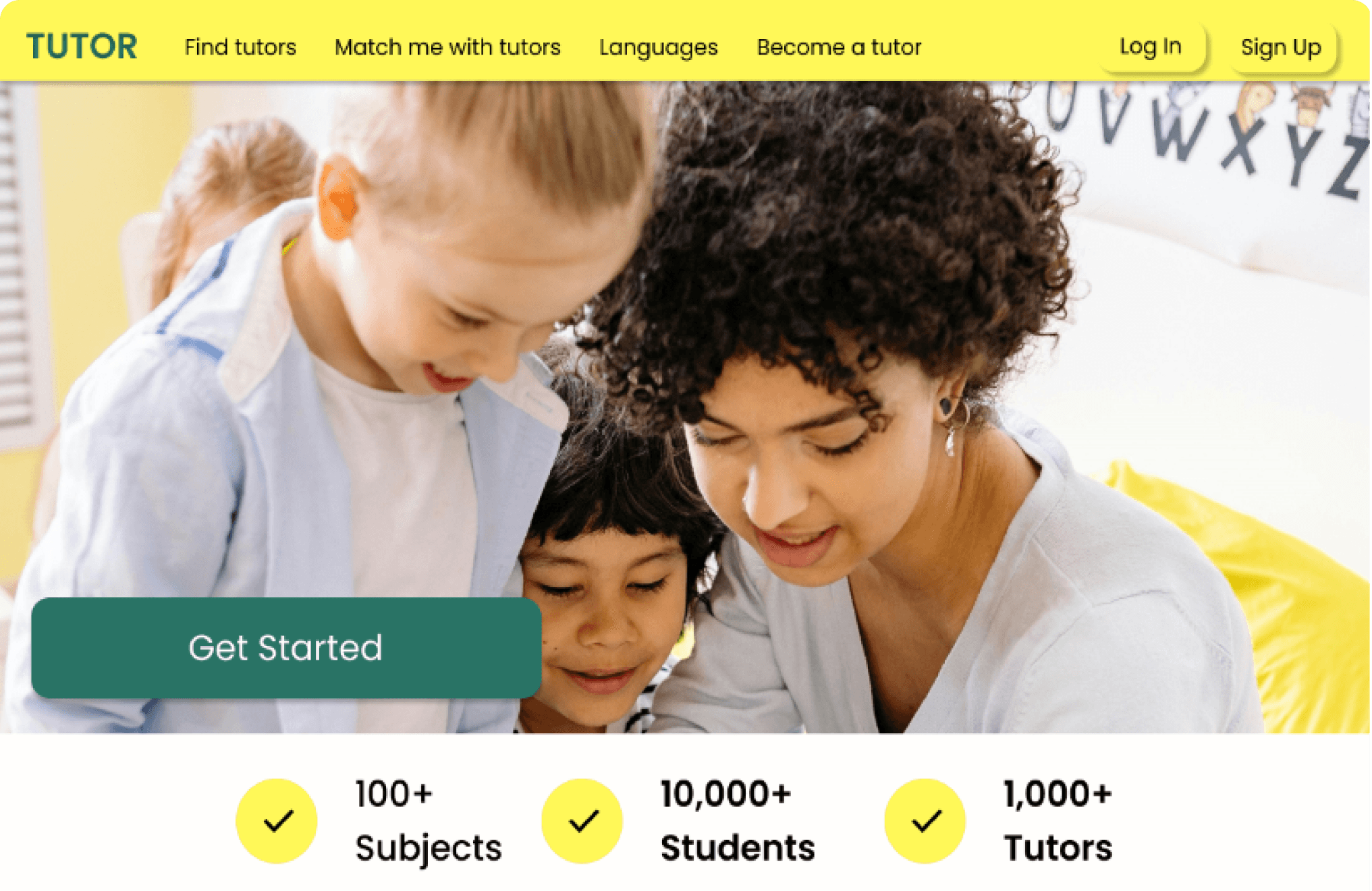
Desktop
Get Started
Get Started
Book a Trial Lesson
Contact Tutor
Language
Save
Send
Get Started
Phone
Save
Language
Get Started
Book a Trial Lesson
Contact Tutor